Border Design Vector Set Evaluation
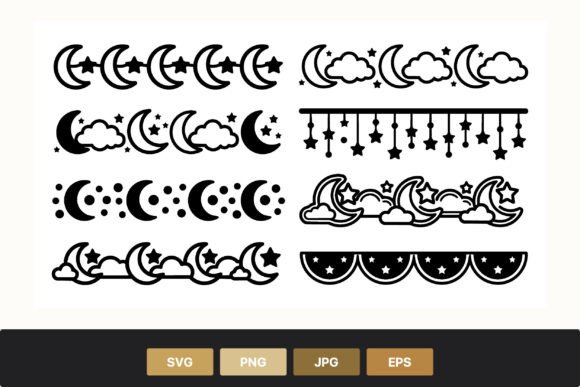
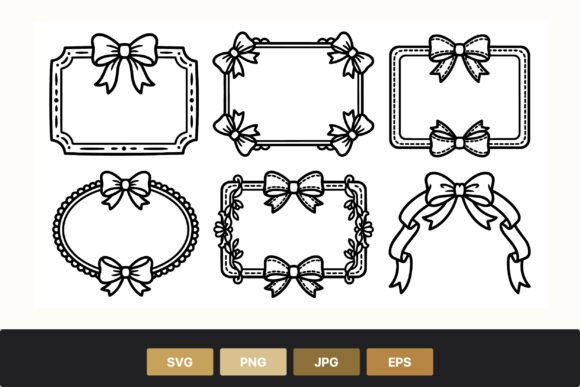
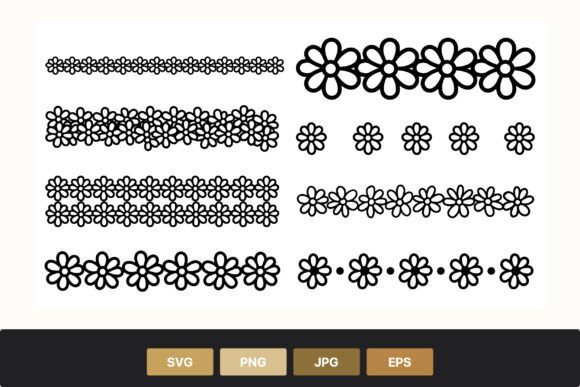
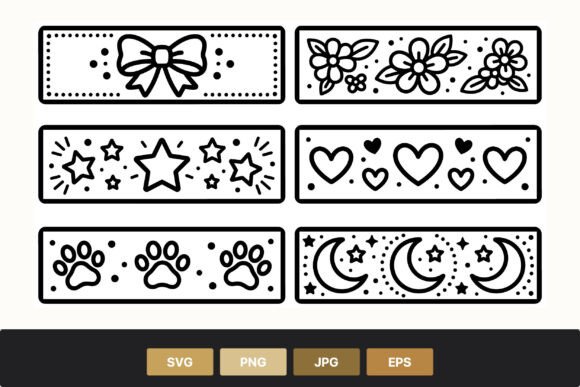
The Border Design Vector Set represents a curated collection of line art elements designed to frame, accentuate, and decorate digital and print projects. This specific set features a monochromatic black and white aesthetic, utilizing a variety of motifs including bow ribbons, floral patterns, stars, hearts, paw prints, and crescent moons interspersed with decorative dots. For designers, crafters, and content creators, the utility of such a resource lies not just in its visual appeal, but in its technical versatility and format compatibility. Understanding the scope, application, and limitations of this asset pack is essential for determining whether it aligns with specific project requirements.
Understanding the Asset Composition
At its core, the Border Design Vector Set is a compilation of scalable graphic elements. Unlike raster images that lose quality when resized, vector graphics are defined by mathematical equations, allowing them to be scaled infinitely without pixelation. The inclusion of diverse themes—ranging from the organic curves of floral patterns to the geometric precision of stars and the whimsical nature of paw prints and crescent moons—provides a broad spectrum of stylistic options within a single cohesive package.
The line art style employed in this set ensures clarity and simplicity. By stripping away color gradients and complex textures, the designs remain versatile enough to be integrated into various color schemes or to stand alone as stark, high-contrast elements. The presence of decorative dots serves as a subtle connecting tissue between larger motifs, creating a sense of rhythm and continuity along borders and frames. This minimalist approach makes the set particularly effective for projects requiring elegance without visual clutter.
Technical Flexibility and File Formats
A critical factor in evaluating any digital asset is the availability of file formats. The Border Design Vector Set addresses this by providing a compressed ZIP file containing multiple formats: SVG, PNG, EPS, and JPG. Each format serves a distinct purpose in the creative workflow, offering users significant flexibility.
- SVG (Scalable Vector Graphics): Ideal for web design and screen-based applications, SVG files maintain crisp edges at any resolution. They are also editable in most modern vector software, allowing users to adjust stroke weights, remove specific elements, or change the arrangement of the border components.
- PNG (Portable Network Graphics): These files feature transparent backgrounds, making them suitable for overlaying onto existing images or colorful layouts without the need for additional editing to remove white boxes. They are best used when the final output size is fixed and no further vector editing is required.
- EPS (Encapsulated PostScript): As a standard for professional print production, EPS files ensure high fidelity when sent to commercial printers. They are compatible with industry-standard software like Adobe Illustrator and InDesign, preserving vector data for large-format printing.
- JPG (Joint Photographic Experts Group): While a lossy format, JPG files offer universal compatibility for quick previews, email attachments, or use in environments where vector support is limited.
This multi-format delivery system reduces the friction often encountered when converting files, streamlining the process for both amateur hobbyists and professional designers.
Benefits and Strategic Applications
There are several compelling reasons to consider the Border Design Vector Set for a project. The primary benefit is efficiency. Creating custom line art borders from scratch requires significant time and skill in vector illustration software. By utilizing a pre-made set, creators can focus on layout and composition rather than drawing individual strokes.
The thematic diversity within the set allows for targeted application:
- Event Stationery: Bow ribbons and floral patterns are well-suited for wedding invitations, birthday cards, and party favors. The black and white palette provides a classic look that can be easily colored during the printing process or left as-is for a sophisticated monochrome aesthetic.
- Pet-Themed Projects: The inclusion of paw prints makes this set uniquely valuable for pet adoption flyers, veterinary clinic branding, or personalized pet care journals. Finding a cohesive set that combines these specific icons with other decorative elements can be challenging, making this bundle a practical solution.
- Celestial and Whimsical Designs: Stars and crescent moons cater to projects involving astronomy, baby announcements, or fantasy-themed content. When combined with hearts, they create a soft, dreamy atmosphere appropriate for scrapbooking or social media templates.
Furthermore, the line art style ensures that the borders do not overpower the main content. They act as subtle guides for the eye, defining spaces without dominating the visual hierarchy. This makes them excellent for page layouts, website headers, and document footers.
Tradeoffs and Considerations
While the Border Design Vector Set offers numerous advantages, potential users should weigh certain tradeoffs before committing. The most notable limitation is the monochromatic nature of the designs. While black and white is timeless, it may require additional work if a project demands vibrant, pre-colored assets. Users must be prepared to apply their own color fills or strokes, which adds a step to the workflow.
Additionally, the "line art" style implies a specific aesthetic. If a project requires bold, filled shapes, 3D effects, or photorealistic textures, this set may not be the optimal choice. The delicate lines might get lost on dark backgrounds or low-resolution screens if not properly adjusted. Users must evaluate whether the thin, elegant strokes align with the overall tone of their brand or publication.
Another consideration is the level of customization. While the SVG and EPS files allow for editing, the complexity of some floral patterns or interwoven ribbons might make significant structural changes difficult without advanced vector skills. Users looking for simple, modular blocks might find the intricate details of these borders slightly restrictive if they intend to deconstruct them entirely.
Situational Fit and Alternatives
Determining whether this set is the right tool depends heavily on the specific context of the project. It is a strong fit for scenarios requiring clean, scalable graphics for print-on-demand products, stationery design, or web accents where a hand-drawn feel is desired. It is particularly advantageous for small businesses or independent creators who need professional-looking assets without the cost of commissioning custom illustrations.
However, alternatives may be worth considering in certain situations. If a project requires a fully customizable 3D border or a highly specific color palette that cannot be easily applied to line art, purchasing a dedicated raster pack or commissioning an illustrator might yield better results. Similarly, for corporate branding that relies on strict geometric grids and solid blocks of color, the organic and whimsical nature of the bows, flowers, and moons in this set might clash with the desired professional identity.
For users working strictly in mobile app development where asset size is critical, the SVG format is beneficial, but the complexity of the vector paths could potentially increase file weight compared to simpler icon sets. In such cases, optimizing the vectors or selecting a more streamlined alternative might be necessary.
Practical Decision-Making Insights
To determine if the Border Design Vector Set aligns with your goals, ask the following questions:
- Does my project require scalable graphics that will be printed at various sizes? If yes, the vector formats included here are essential.
- Is a black and white line art style consistent with my brand's visual identity? If your brand relies on heavy color usage, consider if you have the resources to recolor these assets effectively.
- Do I need specific motifs like paw prints or celestial bodies? The combination of these specific elements in one pack saves time searching for disparate assets.
- Am I comfortable using vector editing software? To fully leverage the SVG and EPS files, basic familiarity with tools like Illustrator, Inkscape, or CorelDRAW is helpful.
Ultimately, the value of this asset pack lies in its balance of variety and technical readiness. By offering a range of file formats and a diverse selection of motifs within a unified style, it lowers the barrier to entry for high-quality design. However, its suitability is contingent upon the user's ability to adapt the monochromatic line art to their specific needs. For those seeking a versatile foundation for decorative framing, it presents a robust option; for those needing highly specialized or pre-colored solutions, further exploration of alternatives may be warranted.